

Try OctopusPro with your own services, staff, and bookings.
Start a free trial to explore the workflows your team uses every day, or book a free call if you want help choosing the right setup before you begin.


Manage bookings, fieldworkers, customers, and payments from one connected platform
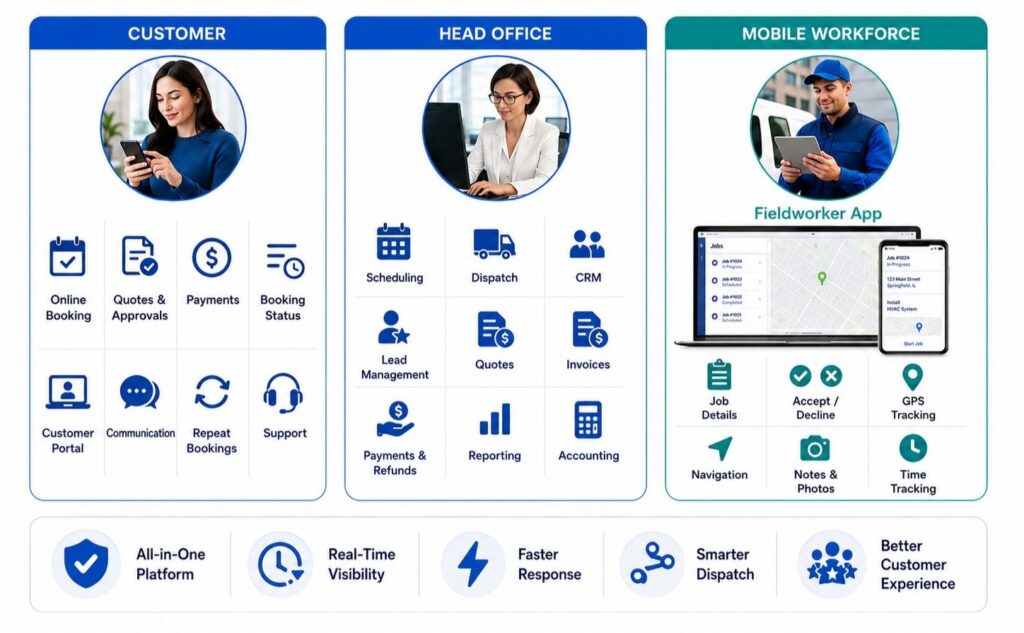
Run your service business from one connected platform. OctopusPro helps you manage customers, leads, quotes, bookings, invoices, payments, fieldworkers, communications, feedback, reviews, reporting, and integrations while keeping your office, customers, and mobile workforce connected.
Connect your office, fieldworkers, customers, jobs, and payments in one workflow.
OctopusPro gives service businesses the tools to manage the full workflow from the first enquiry through lead capture, quote follow-up, online booking, scheduling, dispatch, job completion, invoicing, payment, feedback, and repeat service.
Use it to reduce admin, improve communication, organise schedules, track work in the field, control access, manage service areas, and deliver a more reliable customer experience across any industry.
Built for Every Type of Service Location
OctopusPro gives service businesses the flexibility to manage bookings, staff, customers, payments, and operations across any service model, whether your team works on site, from a storefront, across multiple branches, or remotely online. Learn more about booking location types for service businesses.

Mobile & On-Site Services
Deliver services at your customer’s home, workplace, job site, event location, or any preferred address. OctopusPro helps mobile teams manage bookings, dispatch fieldworkers, track job progress, communicate with customers, send invoices, and accept payments from anywhere. Ideal for mobile mechanics, vets, cleaners, beauty and wellness providers, tutors, tradespeople, handyman services, and other field service management software for mobile service businesses.
Storefronts & Multi-Location POS
Run your business from one physical location or manage multiple branches with centralised control over bookings, staff schedules, services, customers, invoices, payments, and reporting. OctopusPro is ideal for salons, clinics, massage studios, workshops, car wash locations, repair shops, retail service counters, and other businesses that need multi-location POS software for service businesses.
Remote & Virtual Services
Manage services delivered online or remotely, including virtual consultations, online education, coaching, consulting, technical support, telehealth-style appointments, remote assessments, and virtual assistance. Schedule appointments, collect customer details, send confirmations and reminders, manage payments, and keep communication organised with remote service management software for virtual services.
Learn how to configure booking location types for storefront, mobile, and remote services in OctopusPro.

Local operations.
Global possibilities.
Run your mobile and fixed-site services in the country where your business operates, while using virtual services to accept online bookings from customers across multiple countries.
OctopusPro helps service businesses stay organised around local currency and tax requirements, while still giving online, remote, consulting, coaching, education, telehealth-style, support, and virtual service teams room to grow globally.
One country per account
Best for businesses that need local tax, currency, service areas, fieldworkers, travel, storefront, branch, and on-site appointment controls.
Multi-country online bookings
Ideal for services delivered online, where customers can book from different countries without needing a physical service address.
Get help setting up mobile, fixed-site, or virtual bookings the right way.
Whether you run local field services, branch-based appointments, remote consultations, or a mix of all three, OctopusPro can be configured around your booking rules.
Automate the repetitive admin that slows service teams down.
Reduce manual admin, missed follow-ups, scheduling confusion, payment delays, and disconnected customer communication with an all-in-one platform built for service businesses. OctopusPro connects your leads, bookings, fieldworkers, customers, invoices, payments, reports, and communication history so your team can focus on delivering excellent service wherever your customers are.
Manage lead capture, quoting, scheduling, dispatch, field execution, invoicing, payments, and reporting with connected field service management software and service booking management tools.
Use booking and appointment scheduling software, real-time fieldworker availability, and job assignment and dispatch workflows to match the right fieldworker to the right job faster.
Turn your website into a 24/7 booking and payment channel with the customer portal and online booking system, allowing customers to request quotes, book appointments, pay invoices, manage profiles, and rebook online.
Centralise emails, SMS, calls, WhatsApp messages, discussions, invoices, payment requests, reminders, and job updates using booking communication tools and automated reminders and confirmations.
Accept deposits, card payments, refunds, and invoice payments through online payment, deposit and refund management, then reduce duplicate entry with Xero and QuickBooks accounting integration.
Use customer relationship management software to keep customer profiles, service history, communication logs, billing history, properties, feedback, and reminders connected.
Track leads, bookings, quotes, invoices, payments, customers, fieldworkers, performance, and operations with live business activity reporting and exportable business insights.
Capture more demand, follow up faster, and turn more enquiries into booked work.
OctopusPro helps service businesses manage the full pre-booking journey, from website enquiries and online requests through to quotes, follow-ups, approvals, bookings, reminders, and payments, so fewer opportunities get missed and more leads move forward.
Lead capture and booking conversion tools
- Website enquiries and lead capture
- Quote and estimate conversion workflows
- Follow-up reminders and approvals
- Booking controls and self-service changes
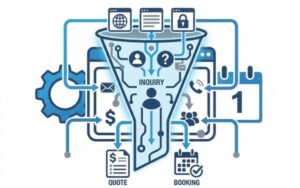
Website lead capture
Turn your website into a lead and booking channel with embedded enquiry forms, online requests, and clearer customer intake.
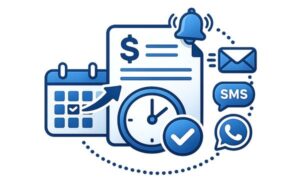
Follow-up automation
Stop warm leads and open quotes from going cold with reminders, due actions, and connected follow-up activity.
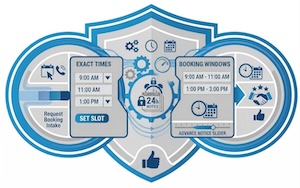
Booking controls
Offer exact start times, time windows, notice rules, and self-service booking changes while keeping your calendar protected.
Streamline your scheduling
Optimise your schedule with a cloud-based workflow that helps your office capture requests, check availability, assign the right fieldworker, confirm appointments, and keep customers informed without constant back-and-forth.
OctopusPro can consider real-time fieldworker availability, service areas, working hours, location types, booking windows, time-slot rules, and dispatch needs so even complex services can be scheduled with less manual work.
Use availability, duration, working hours, and fieldworker matching to find suitable times more quickly.
Keep scheduling rules connected to services, locations, fieldworkers, reminders, and confirmations.
Let customers request, book, reschedule, or cancel online when your business rules allow it.
Assign jobs manually or automate job requests while staying visible on responses and status.
Connected workforce management for busy service teams
Keep your office team, fieldworkers, and customers connected through one shared workflow. OctopusPro helps you manage job requests, scheduling, dispatch, updates, invoices, and payments with clearer visibility across the whole service journey.
Fieldworkers can receive notifications, review job details, accept or decline work, check in and out, upload photos, and update progress, while customers stay informed with booking and status updates.
Share job details, updates, and workflow status in real time.
Assign jobs manually or automate job requests to matching fieldworkers.
Help your team navigate, capture notes, upload photos, and update jobs from the field.
Keep customers informed with booking updates, service progress, and clearer communication.
Dispatch faster with real-time fieldworker tracking, nearby bookings, and smarter location-based scheduling.
Give dispatchers, office staff, fieldworkers, and customers better visibility over mobile work with live map tracking, customer ETA updates, exact location tools, address privacy controls, and proximity-based job routing.
OctopusPro helps service businesses identify nearby fieldworkers, cluster nearby bookings more efficiently, reduce travel, improve on-the-way communication, and make faster dispatch decisions without extra phone calls.
Real-time dispatch and location tracking tools
- Dispatch based on live location, service area, and availability
- Reduce “where are they?” calls with customer ETAs and on-the-way updates
- Use nearby bookings and proximity to reduce travel waste
- Handle hard-to-find locations with map pins, GPS coordinates, and shared links
- Protect fieldworker privacy until they are on the way
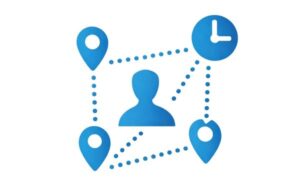
Nearby bookings and proximity-based dispatch
Spot jobs that are close together, assign work based on proximity, and reduce travel time with nearby bookings and proximity-based scheduling across your service area.

Live Fieldworker Tracking for Customers
Improve the customer experience with live fieldworker tracking, ETA visibility, and on-the-way updates while fieldworkers are travelling.
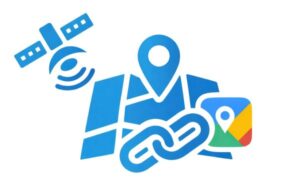
Exact GPS Coordinates, Shared Pins, and Map Links
Support hard-to-find sites, apartment entries, large properties, and custom visit points using Google Maps shared pins, GPS coordinates, and precise booking locations.
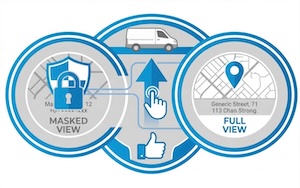
Fieldworker address privacy until on the way
Protect sensitive location details with address masking until the fieldworker is on the way and fieldworker permission controls based on workflow stage.
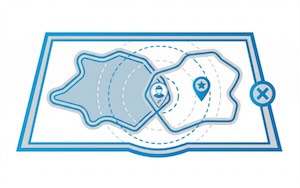
Map-based fieldworker service areas
Define coverage with map-based fieldworker service areas so dispatch decisions align with where your business actually operates.

Real-time fieldworker availability
Combine real-time fieldworker availability with location, skills, and service-area logic for smarter job assignment.
Manage people, crews, time, permissions, and performance with more confidence.
Coordinate staff, fieldworkers, subcontractors, assistants, and office users without losing visibility over who did what, when it happened, how time was tracked, and how work should be reviewed or paid.
Designed for operational control
- Multi-fieldworker and crew jobs
- Time tracking, attendance, and timesheets
- Activity logs and stronger accountability
- Payroll, commissions, and user permissions
Crew jobs
Use multi-fieldworker booking assignment and subworker and crew account management for larger jobs.

Time tracking & timesheets
Track attendance, hours worked, travel time, and payroll-related activity with fieldworker check-in and check-out tracking and timesheet visibility.
Activity logs & accountability
Keep a clearer history of updates, job actions, and user activity with the fieldworker activity log and audit trail.
Standardise work, protect quality, and create more repeat revenue.
Keep customer records, service history, forms, checklists, custom statuses, product add-ons, recurring work, and promotions connected to the same jobs and customers your team already manages every day.
Keep everything structured
- Customer assets, sites, and service history
- Forms, checklists, photos, and proof of work
- Workflow stages, products, and service extras
- Recurring bookings, reminders, and promotions
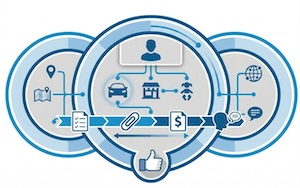
Assets & service history
Store customer-linked records, service history, properties, sites, and saved locations so repeat work is easier to manage.

Workflow stages
Use custom booking statuses, clear stages, and internal workflows that better reflect how your business actually operates.
Repeat work & reminders
Bring customers back with recurring service reminders, repeat bookings, follow-up schedules, and ongoing service plans.
Turn completed work into clearer invoices, faster payments, and cleaner accounts.
Connect quotes, jobs, invoices, deposits, refunds, payment terms, billing cycles, grouped invoices, and accounting sync without creating more admin for your office team.
Built for healthy cash flow
- Branded invoice PDFs and payment advice
- Deposits, receipts, balances, and refunds
- Billing cycles and grouped invoices
- Xero and QuickBooks sync

Invoice presentation
Send professional invoices with your branding, payment instructions, terms, and clearer customer-facing detail using custom invoice PDF templates.

Payment visibility
Track invoice payments, receipts, deposits, refunds, outstanding balances, and payment history across each customer, booking, and invoice.

Payments & accounting
Support online and in-person payment collection while keeping invoices ready for smoother accounting workflows and sync.
Keep messages, files, complaints, reviews, and campaigns connected to the work.
Beyond bookings and invoices, OctopusPro keeps customer communication, field collaboration, quality issues, feedback, and marketing activity attached to the same job and customer records your team already uses.
One connected customer experience
- Notifications, SMS, calls, and updates
- Files, photos, and job notes
- Complaints, ratings, and review requests
- Mailing lists and customer reactivation
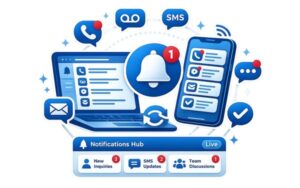
Unified notifications
Bring alerts, SMS, calls, discussions, and urgent updates into one place with the field service notifications centre so teams can react faster.

Files, photos & proof
Keep photos, documents, before-and-after images, forms, and job notes attached to the right jobs and customers.
Feedback & growth
Collect customer feedback, ratings, and reviews, manage issues and complaints, request Google reviews, and run smarter campaigns.
Keep every customer and fieldworker conversation connected to the work.
Use OctopusPro to manage WhatsApp messages, SMS, phone calls, missed-call workflows, call logs, reminders, confirmations, status updates, and team communication from one connected customer and job record.
Instead of spreading conversations across personal phones, inboxes, notebooks, and disconnected apps, your team can keep communication history, templates, updates, and follow-ups tied to the relevant customer, quote, booking, invoice, or issue.
Communication tools covered
- WhatsApp Business messaging and approved templates
- Digital phone system, call routing, and call logging
- SMS, email, reminders, confirmations, and status updates
- Two-way customer and fieldworker communication
- Reusable templates and consistent replies

Automated Customer and Staff Communication
Send confirmations, reminders, status updates, quote follow-ups, payment reminders, and staff prompts with less manual admin.

two-way customer communication tools
Keep customer messages, fieldworker updates, approvals, questions, and replies connected to the relevant booking or customer record.

digital phone system and call logging
Handle business calls, call routing, missed calls, voicemails, SMS, and call history without relying on personal mobile phones.
unified notifications hub across web and mobile
Help office staff and fieldworkers respond faster to new leads, job updates, messages, missed calls, and urgent workflow activity.
Keep work moving even when your team is on the road, on site, or dealing with weak internet.
OctopusPro helps office staff and fieldworkers access bookings, customer details, job information, notes, checklists, and tasks from the web and mobile app, so work is not limited to the office.
Where offline capability is available, fieldworkers can keep working in the app when internet coverage is weak and sync updates once connection returns, helping reduce delays and protect productivity in the field.
Reliable access for busy teams
- Web access for office teams
- Mobile app access for fieldworkers
- Offline-capable workflows where supported
- Secure cloud data and role-based access
- More continuity across office, field, and customer updates
fieldworker app access for mobile teams
Keep teams productive from the office, vehicle, job site, customer location, branch, or home office.

mobile job management for fieldworkers
Give fieldworkers access to job details, customer information, notes, status updates, and task workflows in the app.
Secure Cloud Field Service Management
Use role-based access and secure cloud records so the right people can access the right information when they need it.
Make better decisions with secure, searchable reporting across your operation.
Bring bookings, fieldworkers, customers, invoices, payments, communication, forms, activity logs, and business performance into one searchable system so managers can see what is happening without chasing spreadsheets or scattered notes.
Use reporting and records to monitor workload, follow-ups, job progress, sales, payments, customer activity, staff performance, service quality, and operational trends across your service business.
Better visibility for better decisions
- Live business activity and operational reporting
- Searchable customer, job, quote, and invoice records
- Payment, sales, workload, and staff visibility
- Exportable reporting and management insights
- Clearer data for business planning and accountability

live business activity reporting and analytics
Track bookings, invoices, payments, customers, fieldworkers, and service activity from one connected reporting layer.
searchable records, documents, photos, and evidence
Keep notes, photos, documents, forms, service history, and job evidence connected to customers and bookings.

third-party API integrations and connected data
Use reporting, exports, API connections, and integrated records to keep managers informed as your business grows.
Launch faster, train your team, and get more value from OctopusPro as your business grows.
OctopusPro is more than software. Your business can access setup guidance, support resources, user guides, workflow documentation, training videos, and success support to help your team implement the platform with more confidence.
Whether you are starting fresh, moving from spreadsheets, replacing disconnected apps, or scaling a larger service operation, support and training can help you configure workflows around the way your business actually works.
Need help choosing the right setup?
- Onboarding guidance and workflow setup support
- Help centre documentation and user guides
- Training videos and product walkthroughs
- Support calls for setup and best-practice guidance
- Resources for office teams, managers, and fieldworkers

OctopusPro training videos and product walkthroughs
Use tutorials and product walkthroughs to help office staff, managers, and fieldworkers understand day-to-day workflows.

OctopusPro onboarding and setup support
Get help thinking through services, booking rules, staff access, automations, templates, and customer-facing workflows.
OctopusPro Help Centre and user guides
Use step-by-step documentation and support resources to keep improving your setup as your service business grows.
Turn customer history into repeat bookings with built-in CRM
Turn every enquiry, booking, quote, invoice, payment, message, follow-up, and service history record into a complete customer profile your team can use to respond faster, personalise service, reduce admin work, and encourage repeat business.
Keep every customer relationship connected, searchable, and ready for the next interaction.
OctopusPro brings customer data, communication history, service records, billing activity, feedback, properties, and follow-up workflows into one CRM built for service businesses. Your team gets the context they need to deliver faster support, smarter follow-ups, and a more consistent customer experience.
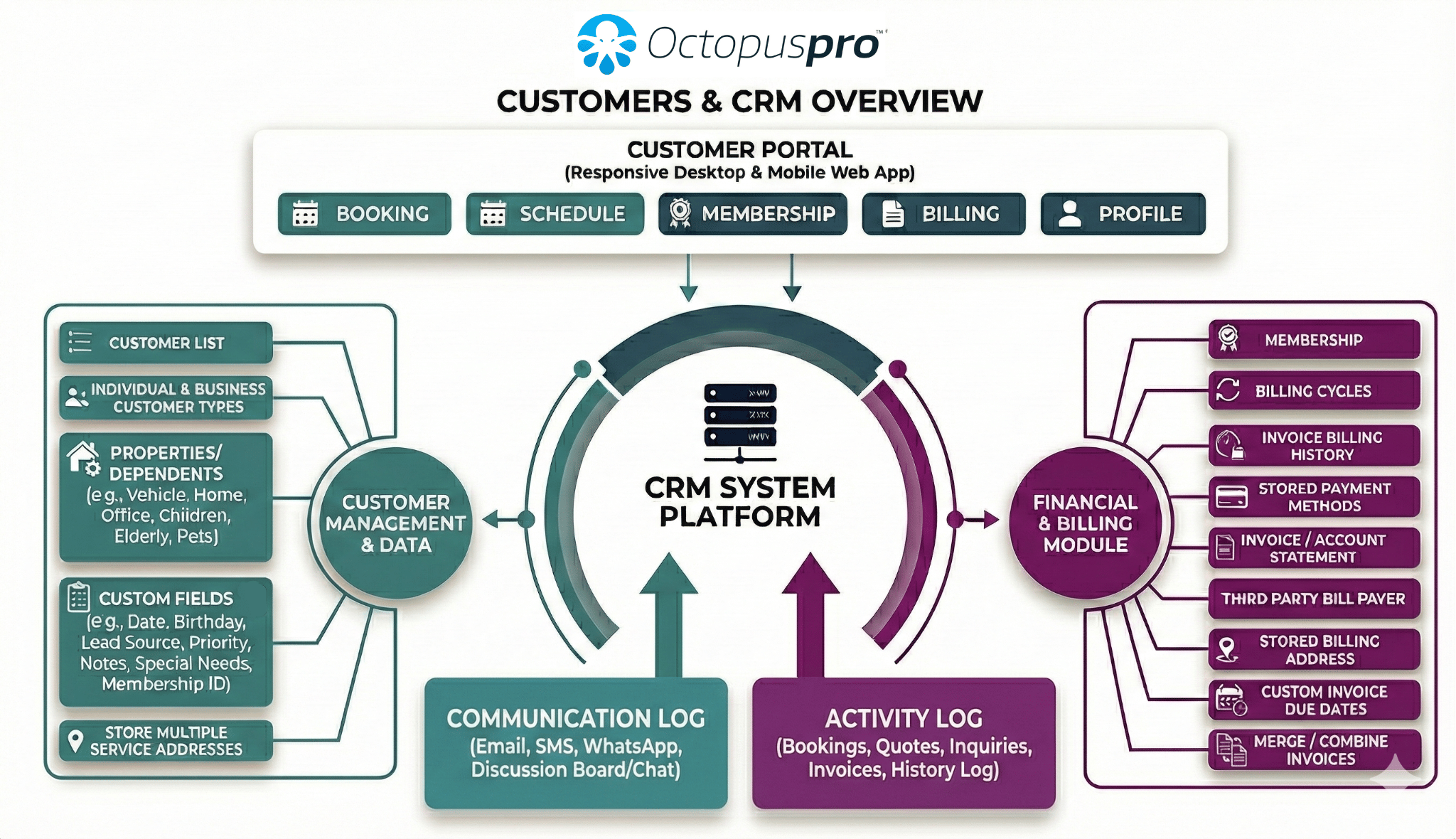
1. Centralise customer data in one place
Reduce admin chaos by keeping customer contact details, service addresses, notes, quotes, bookings, invoices, payments, complaints, attachments, account history, and service records in a built-in CRM for service businesses, supported by the customer management CRM guide.
2. Personalise service with better customer profiles
Capture customer preferences, access instructions, account details, lead sources, priority notes, membership details, gate codes, special requirements, and other business-specific information using customer profile custom fields and customer labels and tags.
3. Segment customers for smarter follow-up
Improve targeting and reporting by organising customers by individual or business customer type, location, service history, customer status, labels, lead source, communication preferences, and priority. Use segmentation to tailor service, trigger follow-ups, support sales activity, and run more relevant campaigns.
4. Let customers keep their own details up to date
Reduce manual updates by allowing customers to manage profile details through customer portal profile management, including saved locations, additional contacts, business profiles, payment methods, self-service account updates, quote approvals, invoice access, membership details, and booking history where enabled.
5. Manage properties, assets, and dependents
Support customers with multiple service locations or repeatable records by storing linked customer properties, assets, and dependents, including service sites, homes, vehicles, equipment, pets, children, rooms, units, commercial locations, and other records your business services regularly.
6. Give every team member full customer context
Help office, sales, support, finance, and field teams respond faster with a complete customer activity timeline and searchable customer communication history across emails, SMS, WhatsApp, calls, discussions, enquiries, quotes, bookings, invoices, payments, attachments, and complaints.
7. Improve retention with reminders and automation
Bring customers back at the right time with automated service reminder software for repeat appointments, maintenance cycles, renewals, follow-ups, seasonal services, and customers due for their next service. Use automated confirmations, updates, newsletters, and reminders to reduce no-shows and stay top of mind.
8. Support account customers and recurring billing
Make repeat, commercial, account, and ongoing customer management easier with customer billing cycle management, consolidated billing, custom invoice due dates, merged invoices, third-party bill payers, stored payment methods, and customer account statements showing invoices, payments, outstanding balances, and billing history.
9. Re-engage customers with targeted campaigns
Increase repeat bookings by using mailing lists and marketing campaigns built from CRM data such as customer type, location, service history, labels, booking status, lead source, and communication preferences. Segment customers for reactivation, seasonal offers, reminders, newsletters, and service-specific follow-ups.
10. Protect relationships with feedback and issue tracking
Identify service issues early by collecting customer feedback, ratings, and reviews, tracking complaints as service issues, monitoring recurring concerns, and following up before small problems become lost customers. Use reviews and feedback loops to improve service quality and build trust.
11. Keep customer data clean and reliable
Improve data quality with merge duplicate customer records workflows, cleaner imports, saved customer details, labels, profile fields, and careful notification controls. Use pause and resume automated notifications when a customer, quote, invoice, or booking needs more careful handling.
12. Improve sales visibility from lead to invoice
Give your team a clearer view of the customer journey from lead capture and enquiry follow-up through quotes, estimates, bookings, invoices, payments, and complaints. Track sales activity, identify bottlenecks, convert more enquiries into customers, and keep every stage connected to the customer profile.
13. Improve customer experience with transparency
Meet modern customer expectations by connecting CRM records with the customer portal, app, notifications, booking history, membership details, quote approvals, invoice payments, status updates, and real-time fieldworker tracking where relevant, helping customers stay informed without calling your office.
14. Use reporting to improve growth and operations
Turn customer history into better decisions with reporting across enquiries, quotes, bookings, invoices, payments, service history, feedback, complaints, retention activity, and campaign performance. Use CRM insights to improve marketing, customer service, field operations, and long-term business growth.
See how CRM, reminders, follow-ups, invoices, payments, and service history work together.
Create a free account to test the customer journey from enquiry to repeat booking, or book a call for help planning your CRM workflow.
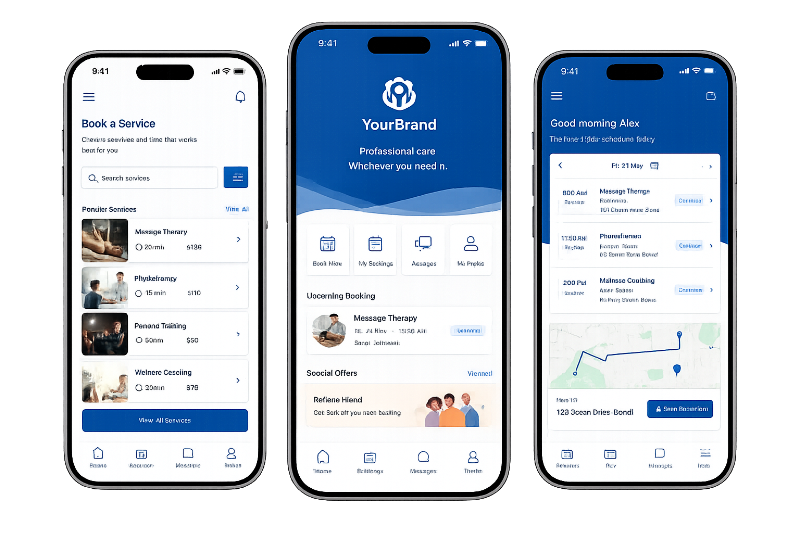
Launch a branded app for customers, staff, and fieldworkers
Give your business a more professional digital presence with a branded service business app designed around your business name, logo, colours, services, and customer experience. Customers can book online, manage appointments, pay invoices, receive updates, and communicate with your team, while fieldworkers can access job details, respond to requests, update job progress, upload photos, collect signatures, and stay connected from the field.
Keep your business visible with app branding, customer-facing booking flows, branded portal content, and a more consistent experience across web and mobile.
Connect your app with your customer portal and online booking system so customers can book, rebook, pay, and manage their details with less admin.
Help your mobile team manage daily jobs using the fieldworker app, including availability, job requests, navigation, communication, photos, statuses, and completion updates.
Encourage repeat bookings with reminders, faster access to services, app-based communication, self-service booking management, and a smoother customer experience.

Manage the complete service workflow from first enquiry to repeat booking
OctopusPro connects lead capture, quoting, bookings, dispatch, payments, CRM, fieldworker management, communication, reporting, accounting, marketing, and integrations in one platform, helping your team reduce admin, improve visibility, and deliver a better customer experience.
Lead Capture & Management
Turn more enquiries into paying customers with OctopusPro’s lead management software for service businesses. Capture website enquiries, quote requests, phone leads, referrals, customer portal submissions, and new opportunities in one organised pipeline. Add a website lead capture form and track every opportunity by lead source.
Quote, Estimate & Invoice Management
Win more work and reduce admin with OctopusPro’s invoicing and billing software. Send quotes, automate follow-ups, let customers accept or decline online, and convert approved quotes into bookings or invoices. Learn more about sending and tracking quotes, online and offline invoice payments, and customer billing cycles.
Booking & Appointment Management
Keep every job organised from the first request to final payment with booking and appointment scheduling software. Manage one-off, recurring, multi-address, group, online, mobile, storefront, and virtual bookings. Use service booking management tools to reduce manual coordination.
Booking Location Types & Service Delivery Models
Support every way your business delivers services without needing separate systems. Manage booking location types for mobile, storefront and remote services, including customer-location jobs, fixed-location appointments, branches, online consultations, group sessions, and hybrid service models.
Service Catalogue, Smart Pricing & Inventory
Sell services more accurately with service categories, pricing, products, add-ons, packages, discounts, custom fields, stock tracking, and inventory controls. Learn about service catalogue management, service packages and bundles, product list management, and stock management and inventory control.
Service Areas, Travel Radius & Location-Based Pricing
Reduce travel waste and improve dispatch accuracy with mobile service areas, fixed locations, virtual regions, travel radius rules, and map-based coverage zones. Use dynamic geo-pricing zones when pricing varies by suburb, region, travel distance, or service zone, and manage fieldworker service areas and locations.
Fleet & Workforce Scheduling
Assign the right fieldworker faster with mobile workforce management software. View availability, working hours, service areas, skills, booking location, travel radius, and nearby jobs. Reduce travel time with proximity-based scheduling and the fieldworker availability finder.
Automated Job Assignment & Fieldworker Confirmation
Reduce manual dispatch work with job assignment and dispatch workflows. Use manual assignment or automated job requests, support multiple fieldworkers, timers, assignment tracking, and fieldworker-suggested alternatives. Learn about fieldworker accept and decline job requests, the fieldworker job requests app, and Fieldworker Reschedule Assist.
Fieldworker Tracking, Time Logs & Productivity
Stay in control of mobile work with fieldworker time tracking software. Monitor location, movement, availability, progress, job status, attendance, and work hours. Use real-time fieldworker location tracking and fieldworker GPS tracking, ETA and geofencing.
Fieldworker Onboarding, Permissions & Crew Management
Bring new fieldworkers, sub-workers, subcontractors, and crews into your operations with app access, profile setup, service assignment, working hours, service areas, secure login, and permissions. Learn about OctopusPro app login and access, fieldworker and crew management, and fieldworker permissions and access control.
Calendar Sync & Availability Management
Prevent scheduling conflicts with working hours, blocked times, private availability, fieldworker calendars, and external calendar events. Sync with Google Calendar, filter calendars by area, region, fieldworker, booking status, and location type, and use dynamic real-time fieldworker availability scheduling.
Payment Management & Gateway Integrations
Improve cash flow with OctopusPro’s online payment, deposit and refund management tools. Accept payments through invoices, booking pages, customer portal checkout, fieldworker app payments, deposits, tips, card payments, bank transfers, and offline methods. Learn about customer portal payment methods and online and offline invoice payments.
Automated Billing, Deposits & Payment Follow-Up
Spend less time chasing payments with deposits, prepayments, payment terms, due dates, open invoices, overdue balances, billing cycles, merged invoices, refunds, and reconciliation. Use automated reminders and confirmations, customer billing cycle management, and consolidated invoice merging.
Worker Earnings, Payroll & Commissions
Keep fieldworker payments transparent with commission rules, pay rates, payroll summaries, batch payments, bank details, and payout tracking. Configure earnings by service, job, fieldworker, or custom criteria. Learn about fieldworker payroll and commission management and fieldworker commission and pay rates.
Customer, Fieldworker & Team Communication
Keep every conversation connected to the right customer, inquiry, quote, booking, invoice, or complaint with customer communication tools. Track emails, SMS, calls, WhatsApp, booking discussions, internal notes, and automated updates. Improve reliability with business email authentication and WhatsApp Business integration.
Online Booking, Customer Portal & Website Integration
Turn your website into a self-service booking channel with OctopusPro’s customer portal and online booking system. Let customers browse services, request quotes, book appointments, buy add-ons, purchase gift vouchers, approve quotes, pay invoices, and manage bookings. Learn about accepting online bookings, white-label customer portal URLs, customer portal branding, and customer portal profile management.
Real-Time Reporting & Business Insights
Make smarter decisions with live business activity reporting across leads, bookings, quotes, invoices, payments, customers, fieldworkers, performance, and operational activity. Monitor trends, conversion rates, revenue, payment status, completed jobs, upcoming work, overdue follow-ups, and team performance.
Integrated Accounting
Reduce double entry with field service accounting sync for Xero and QuickBooks. Sync invoices, payments, customer records, tax details, and accounting data so your office and accountant can work from more accurate information.
Feedback, Reviews & Complaint Management
Improve service quality with complaint and feedback management software. Capture feedback, ratings, reviews, booking issues, quote issues, invoice complaints, resolution notes, and service recovery tasks. Automate review requests with the Google Reviews integration and manage customer feedback, ratings and reviews.
Fieldworker App & Mobile Job Management
Give fieldworkers the tools to complete work professionally from anywhere with OctopusPro’s mobile fieldworker app and branded field service app options. Fieldworkers can receive requests, view booking details, update statuses, check in/out, navigate, upload photos, complete forms, collect signatures, invoice, and take payments.
Phone, SMS, WhatsApp & Call Management
Reduce missed messages with integrated calls, SMS, WhatsApp, templates, communication history, and digital phone workflows. Learn about setting up a digital phone system and using WhatsApp Business messaging for customers, fieldworkers, and mailing lists.
Templates, Canned Responses & Placeholders
Save time and reduce mistakes with reusable email and SMS canned responses. Personalise messages using template placeholders that insert customer, booking, quote, invoice, fieldworker, and company details.
Automated Reminders, Confirmations & Service Follow-Ups
Reduce no-shows, improve payment collection, and bring customers back with automated communication. OctopusPro’s automated reminders and confirmations help send booking confirmations, appointment reminders, quote follow-ups, invoice reminders, internal alerts, fieldworker prompts, and post-service follow-ups. Use recurring service reminder automation.
Customer CRM, Properties & Service History
Build stronger relationships with OctopusPro’s customer relationship management software. Maintain profiles, communication history, activity timelines, account statements, booking history, quote history, invoices, feedback, complaints, reminders, labels, and internal notes. Manage customer dependents, assets, locations and properties, the customer activity timeline, and customer communication history.
User Roles, Permissions & Access Control
Protect business, customer, booking, invoice, and payment information with role-based access control and user permissions. Create admin, office staff, manager, fieldworker, subcontractor, and custom roles. Manage user and role management, secure access settings, and fieldworker permissions and access controls.
Forms, Checklists & Digital Job Records
Improve consistency and capture the right information every time with digital forms and checklists for admins, fieldworkers, and customers. Use custom fields, file uploads, photos, signatures, conditional requirements, and service-specific forms to create reliable job records.
Audit Trails, Activity Logs & Service History
Improve accountability with history logs across bookings, quotes, invoices, customers, fieldworkers, issues, automations, SMS, emails, calls, discussions, and user activity. Use the booking history and audit log with automation execution history, payment records, communication logs, and reporting.
Import, Export & Data Migration Tools
Move business data into OctopusPro faster with import and export tools for customers, fieldworkers, services, custom fields, payments, properties, and related records. Use structured CSV imports and reusable templates. Learn about importing customers into OctopusPro.
Mailing Lists, Bulk Messaging & Marketing Campaigns
Increase repeat bookings and retention with mailing list management software connected to your customer, booking, and service history. Create segments by location, customer type, labels, service history, booking status, lead source, or CRM data, then export lists, sync with Mailchimp, or send bulk SMS and WhatsApp using mailing lists and marketing campaign tools.
Open API, Webhooks & Third-Party Integrations
Connect OctopusPro with the tools your business already uses through Open API, webhooks and third-party integrations. Automate workflows, sync external systems, connect reporting tools, trigger updates, and extend OctopusPro around your preferred operational, accounting, marketing, reporting, and automation workflows.
One connected platform for every part of your service operation
From lead capture and online bookings to fieldworker dispatch, payments, CRM, forms, reporting, accounting, marketing, and integrations, OctopusPro gives your team the tools to work faster and deliver a better customer experience.
Put the full OctopusPro platform to work for your service business.
After reviewing the features, the next step is to try them with your own services, users, permissions, templates, and customer workflows.
Built for service businesses across every industry


Service businesses use OctopusPro to save time, reduce admin, and grow with more control.
The results below show the kind of outcomes businesses value most when they bring bookings, customers, fieldworkers, payments, and communication into one connected system.
OctopusPro has revolutionised my business. I’m now operating at a capacity that previously would have required at least three more sales staff, at a fraction of the cost.
Before using OctopusPro, I felt like I was constantly chasing bookings and getting lost in paperwork. Since coming onboard, I not only have more free time, but also a branded app.
More capacity without extra overhead
Businesses often value how OctopusPro helps them handle more enquiries, bookings, and service work without needing the same increase in admin or staffing.
Less chasing, more automation
Teams appreciate spending less time following up manually, thanks to connected scheduling, reminders, customer communication, invoicing, and payment workflows.
A stronger customer experience
OctopusPro helps businesses deliver a more professional journey with online bookings, status updates, customer records, branded communication, and self-service options.
Better control across the whole workflow
From lead capture and dispatch to fieldworker coordination, billing, CRM, reviews, and repeat service reminders, teams gain clearer visibility and better control.
Start your free trial or book a free support call to see if OctopusPro is right for you.
Use OctopusPro to bring bookings, staff, customers, payments, communication, and reporting together with a setup that fits your operations.
See why service businesses choose OctopusPro


Start your free trial and test OctopusPro with your real services, staff, bookings, and workflows.
Bring bookings, dispatch, customer communication, invoicing, payments, reporting, and CRM into one connected platform. Test the workflows your business relies on every day and see how OctopusPro can help your team save time, stay organised, and deliver a better customer experience.
Manage enquiries, quotes, bookings, staff, and job progress with less manual admin.
Keep customers informed with online bookings, reminders, updates, invoices, and payments.
Use reporting, CRM, automation, and integrations to create more repeat business.
Ready to streamline your service business?
Create your account, explore OctopusPro, and choose the path that fits your business best.